


TicketSmarter - Events Tickets
3.047.00 Reviews
App Specs
- Version
- 3.5.0
- Updated On
- License
- Free
- Downloads
- 50,000+
- Developer
- TicketSmarter Inc
- Categories
- Events
- Platform
- Android
Screenshots
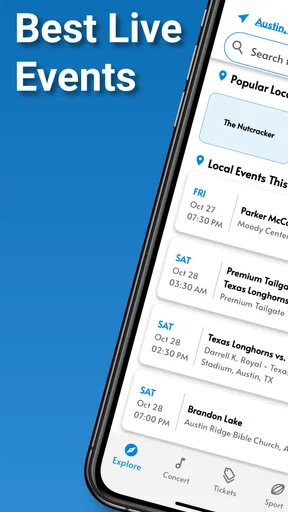
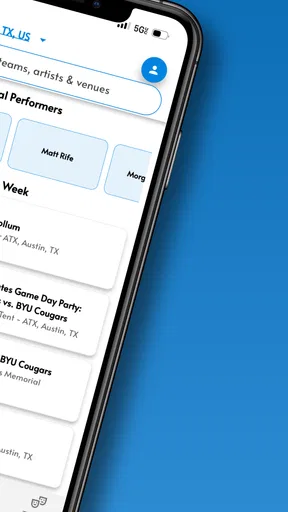
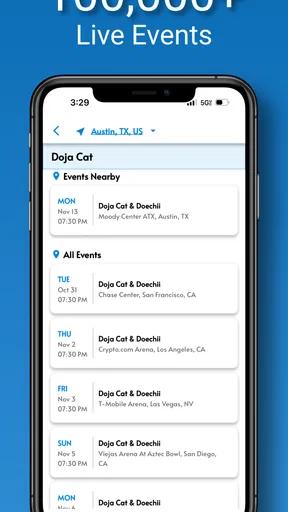
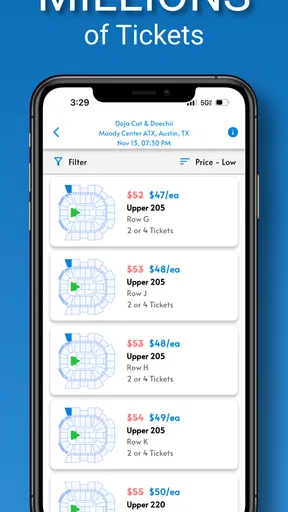
 Analysis by AppCompare
I approach a ticketing app with a practical question: does it help me get from “we should go” to a sensible plan without adding more confusion? TicketSmarter is a free events app from TicketSmarter Inc, and its appeal is straightforward: browse live events and work toward a ticket purchase in one place. It suits people who already know the artist, team, or show they want to see, but it is less compelling if you expect every ticketing task to feel effortless or want to commit before comparing options carefully.
Where ticket searches can get frustrating
Ticket searches often become a balancing act between the event, the date, the location, and the kind of seat you can afford. TicketSmarter’s search and filters are intended to narrow that down, which is useful when you have a clear target. Searching by artist, for example, is a more direct starting point than browsing a long list of events. Filters for price and seating section can then help turn a broad set of listings into a shortlist worth discussing.
The trade-off is that a filtered result is not the same as a final decision. Availability and prices can change while you are comparing options, so I would treat an early search as planning rather than a promise that a particular seat will still be there at checkout. If you are buying with friends, agree on a comfortable price range and acceptable sections before opening the listings. That small bit of preparation can prevent a rushed choice when one person prefers the cheapest option and another is focused on a particular view.
The app has an average rating of 3.1 from 124 ratings, with 45 written reviews. I take that as a reason to keep expectations measured, not as a verdict on how every purchase will go. Ratings cannot tell me whether a particular event has the seats I want, and a smooth search does not guarantee that every part of a transaction will suit every buyer. I would use the app to explore, then read each listing and checkout screen carefully before committing.
Your Ticket to the Action
First things first, the TicketSmarter app is all about accessibility. You can download it on both Android and iOS, and the installation is as smooth as butter. Once you fire it up, you're greeted with a clean and intuitive interface. Trust me, even if tech isn’t your best friend, you’ll find your way around this app with ease.
Browsing and Buying Made Easy
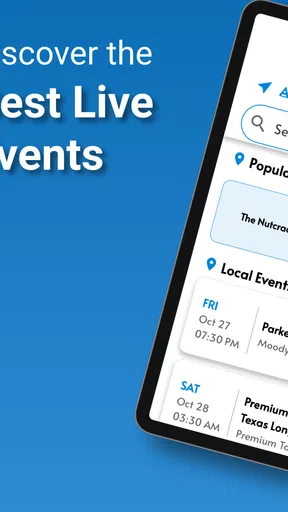
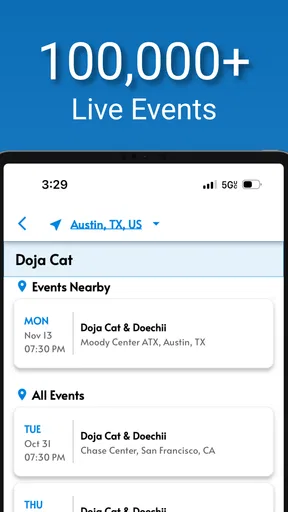
One of the standout features of TicketSmarter is its robust search functionality. You can search for events by date, location, or even artist. I gave it a whirl by searching for my favorite band, and voilà, all their upcoming shows popped up faster than you can say "encore." The ability to filter results by price or seating section is a godsend for those picky about their concert experience.
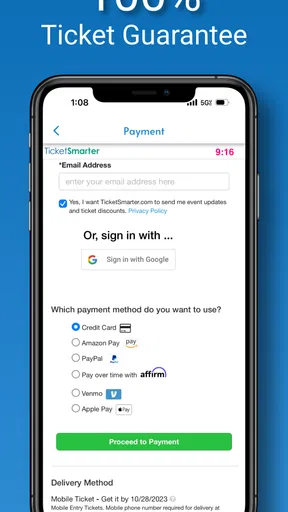
Once you’ve zeroed in on an event, purchasing tickets is a breeze. The app provides real-time availability and pricing, so there are no nasty surprises at checkout. And speaking of checkout, the process is as straightforward as it gets. With a few taps, your tickets are secured and sent straight to your email.
Worth Reading Before You Choose

EA SPORTS FC Mobile 26 Is a Bigger Football Game, but It Takes Time

Flipboard Shows What News Apps Must Do Beyond the Feed

Switching to Android Auto Means Rethinking Your Driving Routine

Google Calendar Makes a Crowded Week Easier to Manage

Ludo King Makes the Most of the Minutes Between Plans

Baby Panda World Brings Quick Play to Modern Phones, but Its Game Library Feels Busy
Setup checks before you buy
TicketSmarter is rated for Everyone, has been available since October 21, 2019, and its current version is 3.5.0. On Android, it requires version 8.0 or later. Those details matter most when you are installing on an older phone: check the operating system first rather than troubleshooting a download that the device cannot support. It is free to install, so you can browse without paying just to try the app; ticket costs are a separate decision at purchase.
Before you place an order, I’d also check that the event, date, location, and seating choice all match what your group agreed on. Take a moment to review the complete price shown during checkout and the details presented before confirming. This is not busywork: a ticket can be a poor fit even when the event is right if you have selected the wrong date or section. If you are buying on behalf of someone else, send them the event details before paying rather than relying on a quick verbal summary.
Perks and Promos
Who doesn’t love a good deal? TicketSmarter often features exclusive promotions and discounts. Keep an eye out for these gems, especially if you’re planning to attend multiple events. In my experience, nabbing a few dollars off is always a sweet victory.
Plus, if you're someone who worries about ticket authenticity, rest easy. TicketSmarter offers a 100% guarantee on all purchases, which is a huge relief in a world where scams are all too common.
Making the group decision easier
A useful way to handle a group outing is to use the app for comparison before anyone feels pressured to buy. Share the event details and a couple of plausible ticket choices, then agree on the date and price together. TicketSmarter’s sharing option can help everyone look at the same event rather than passing around incomplete descriptions. I would still have one person coordinate the final selection, because multiple people independently checking out can create avoidable confusion about which seats the group is trying to get.
For a realistic weeknight plan, imagine that friends want to see a game but have different schedules. Search by location and date, narrow the results, and share the options before the group settles on one. If the preferred listing changes while you are talking, revisit the live availability instead of assuming a screenshot remains current. That workflow is more useful than opening the app only when everyone is ready to pay, since it gives the group time to make the important choices calmly.
User-Friendly Features
A feature I found particularly nifty is the interactive seat map. It helps you visualize exactly where you'll be sitting, which is perfect for those of us who like to plan every detail. And if you're attending with friends, you can easily share event details and ticket options directly from the app. It takes the hassle out of coordinating, which we all know can be a bit of a nightmare sometimes.
Notifications are another highlight. You can set up alerts for when your favorite artists are coming to town, ensuring you never miss out on must-see events. It’s like having a personal assistant dedicated to your entertainment life.
Getting unstuck when something goes wrong
If a search does not show what you expected, I would first adjust one choice at a time: broaden the date or location, then remove a restrictive filter and search again. That helps distinguish a narrow search from an app problem. If you find the event but not the section you wanted, compare the available choices rather than repeatedly refreshing the same exact query; the useful next step may be a different date or seating area, not another identical search.
If checkout does not seem to complete, avoid immediately trying the purchase again. First check your email for an order confirmation and review any on-screen message, so you do not accidentally start a second attempt when the first one is still processing. If no confirmation appears, return to the event and check current availability before proceeding. For a ticket that has been purchased, keep the confirmation email accessible and verify the event details there. The email route is especially handy if you need to retrieve the information later without relying on memory.
When the app may not be the problem
Some apparent ticketing problems are really planning or connectivity problems. A weak connection can interrupt browsing or payment steps, and changing event availability can make a listing look different between visits. I would try again on a steady connection, confirm the date and location, and compare what is currently displayed before concluding the app has failed. For an event with limited options, waiting until the group has finished debating can also mean the original choice is no longer available.
It also helps to separate questions about the app from questions about the venue or event. The app can help you find and compare listings, but choosing whether a particular date works, how far a venue is from home, and whether a section suits your needs remains your decision. If accessibility, travel timing, or a specific seating requirement is central to your plans, verify those practical details before buying rather than assuming a seat map answers every question.
Staying Ahead of the Game
In the competitive world of ticket sales, staying ahead is key. TicketSmarter’s real-time updates mean you’re always in the loop about ticket availability and pricing changes. This feature alone can save you from the frustration of sold-out events—something I’ve unfortunately experienced more times than I’d like to admit.
The app’s performance is also worth mentioning. Even when browsing during peak times, I didn’t encounter any lag or crashes. It’s reliable, and for me, that’s a make-or-break factor in choosing a ticketing app.
How it compares with other ways to find tickets
Compared with starting from a venue’s own site, TicketSmarter offers a convenient events-focused place to search across possibilities, especially if you are still deciding what to attend. A venue or event organizer’s official channel may be the better first stop when you already know exactly where you want to go and want to check that source directly. I see the two approaches as complementary: use the app to explore and compare, then make sure the listing and purchase details fit your plans.
It is also different from simply searching the web or asking friends for recommendations. Those routes can help you discover an event, but they do not give you the same focused path from event search to ticket options. On the other hand, a dedicated official seller may be more familiar to a buyer who prefers dealing directly with the event source. TicketSmarter makes the most sense when its search, filters, seat map, and sharing tools solve a real planning need, rather than as an automatic replacement for every ticket source.
Who should use it—and who may prefer another route
I’d recommend trying TicketSmarter if you often look for concerts, sports, or theater events and want to compare dates or seating choices from your phone. It is particularly useful for people who begin with a performer or event in mind, and for groups that need to circulate a few options before agreeing. The free app has attracted over 50,000 installs, but that does not make it the right choice for every buyer; your comfort with the displayed listings and purchase flow matters more than popularity alone.
I would skip it as my only option if you strongly prefer buying directly from a venue or organizer, or if you need a particular seating or access arrangement that must be confirmed precisely. In those cases, check the relevant official source or contact the venue before spending money. I would also avoid treating notifications as a substitute for checking a specific event yourself: alerts can help you keep an eye on artists, but the final decision still calls for reviewing dates, availability, and the terms shown when you buy.
The Final Score
All in all, TicketSmarter delivers on its promise of a seamless ticket-buying experience. Its user-friendly design, coupled with robust features like real-time updates and interactive seat maps, makes it a standout choice for anyone looking to score tickets without the usual hassle. Plus, the added peace of mind from their ticket guarantee is the cherry on top.
If you’re on the lookout for an app that combines convenience with reliability, TicketSmarter might just be your new go-to. Download it, give it a spin, and you might find yourself wondering how you ever managed without it. Happy ticket hunting!
Pros
- Easy-to-use interface enhances ticket search.
- Wide range of events across different genres.
- Secure payment options for peace of mind.
- Mobile-friendly design for on-the-go access.
- Customer support is responsive and helpful.
Cons
- Service fees can be relatively high.
- Limited availability for last-minute events.
- No option for ticket refunds or exchanges.
- Occasional app crashes during peak times.
- Lacks integration with popular calendar apps.
FAQs for TicketSmarter - Events Tickets
What types of events can I purchase tickets for on TicketSmarter?
TicketSmarter offers a wide array of event tickets, including concerts, sports, theater, and live shows. Whether you're interested in seeing your favorite band, attending a major league game, or enjoying a Broadway production, TicketSmarter provides options across multiple categories to cater to diverse interests.
How does TicketSmarter ensure ticket authenticity?
TicketSmarter guarantees the authenticity of all tickets sold through its platform. They partner with trusted vendors and have a 100% ticket guarantee policy, ensuring that tickets are valid for entry. This commitment to authenticity provides peace of mind to users purchasing tickets for any event.
Are there any additional fees associated with purchasing tickets on TicketSmarter?
Yes, like most ticketing platforms, TicketSmarter includes additional service and processing fees. These fees cover the costs of handling, customer support, and ensuring a secure transaction process. It's advisable to review the total cost during checkout to understand the complete pricing of your purchase.
What is TicketSmarter’s refund and cancellation policy?
TicketSmarter has a strict no-refund policy once tickets are purchased. However, in the event of a cancellation, they provide a full refund, including fees. If an event is rescheduled, tickets are typically valid for the new date. Always check specific event policies for detailed information.
How user-friendly is the TicketSmarter app for purchasing tickets?
The TicketSmarter app is designed with user-friendliness in mind, providing a seamless experience for browsing and purchasing tickets. It features a straightforward interface, detailed event listings, and secure checkout. Users can easily search for events, view seating charts, and complete transactions quickly and securely.


